Virtual reality welding simulators are valuable teaching tools. Research has shown the impact they can have on secondary and post-secondary classrooms; increased practice opportunities, reduced training time and reduced material cost are a few examples. In a post-COVID world, virtual reality welding simulators remain effective tools for engaging today’s “quaranteens,” who are more focused on technology than ever before. In fact, these tools can help instructors provide opportunities for interaction, connection and of course, relevant, real-world learning… whether they’re used for in-person or remote instruction.

Using welding simulators in a face-to-face learning environment
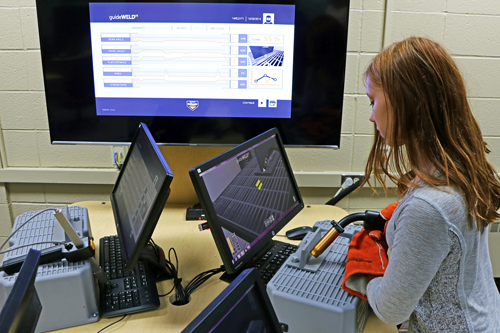
If you’re using welding simulators for in-person instruction, we recommend setting specific standards — and creating some friendly competition — to motivate your students. The guideWELD® VR welding simulator assess users on their work angle, travel angle, speed, nozzle-to-plate distance and straightness, then provides a cumulative score. You can require your students to achieve a certain score before moving ono the next weld. As they strive to meet the standards you’ve set — and beat their peers’ scores — competition will motivate them to work even harder (and stay engaged).
Another benefit of using welding simulators in an in-person learning environment is situational training. You can give your students experience in production welding by setting them up to repeat the same weld, or similar welds, in a given class period. Are there custom welding shops in your region? Give them a taste of working in one by using custom Welding Procedure Specifications for every weld. Customize the settings to mimic the job requirements of actual welders and manufactures in your area, and your students will see the connection between the skills they’re learning and the real world.
Using virtual reality welding simulators in a remote learning environment
In a remote learning environment, we urge you to remember the following:
- Remember the BIG themes
- Engage through QUESTIONS
- Mindfulness on the WHOLE student
- Open the floor for NEW experiences
- Teach the FUN
- Elevate the individual learner
The guideWELD VR system can easily be used for online demonstrations, since every weld is shown in detail on your computer screen. Conduct different welds (or play recordings) as you discuss the steps you’re taking to maintain proper form, nozzle-to-plate distance and other techniques.
Don’t be afraid to get creative. Show your remote students video recordings of incorrect virtual welds and ask them to identify what’s wrong with your form. Do the opposite with a good weld — show them a video recording and ask them to list everything you did correctly.
Consider working with your administrators to create a special shop schedule. Coordinate such that small groups of students can enter the building safely to work on welding simulators while maintaining a safe social distance.

Learn more!
- Watch Jamey’s entire webinar, “Using Virtual Reality Welding Simulators for Online or In-Person Teaching: Tips and Tricks for Student Engagement,” on-demand anytime
- Learn how other educators have implemented our welding training tools, and get tips for setting up your own classroom, by visiting our welding implementation page
- Watch a recent interview with AZ high school welding instructor Kenton Webb, who used our 21st Century welding training tools as part of a program overall to increase program enrollment by almost 400%
- Help your students understand the possibilities of a career in welding by downloading our free welding career exploration curriculum