
Looking to incorporate more STEM learning into your classroom but not sure where to begin? Recently, Realityworks hosted a webinar led by STEM Product Manager Todd Hunter that introduced educators to the DataSnap product line.
During the session, Hunter provided an overview of Realityworks’ new DataSnap brand and highlighted three STEM labs: the DataSnap Impact STEM Lab, DataSnap Air Racer STEM Lab, and DataSnap Projectile STEM Lab. Attendees learned how each lab supports hands-on learning and data-driven experimentation. Those interested in exploring the products further can watch the full webinar recording:
The DataSnap Motion Sensor: An Overview
A key focus of the webinar was the DataSnap Motion Sensor, which provides clear, concise, and near-instantaneous feedback to students. Data from the sensor is delivered directly to a Chromebook, smartphone, tablet or laptop, allowing students to view and analyze results in real time. Hunter walked participants through the sensor setup process and demonstrated how to interpret the data it provides.
“It’s all about getting data in front of students as fast as possible,” said Hunter.
Hunter also explained how the sensors work, including how LED lights help communicate information to students and how the sensors are designed to be small, durable, and classroom-ready. He emphasized that the sensor itself plays a central role in student engagement and use.
Designed for Hands-On Classroom Use
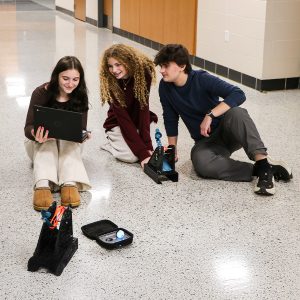
“The sensor is the foundation of all of this,” Hunter explained. “One of the things that defines it is that it’s incredibly strong and durable. It’s okay if it gets dropped or launched — because that’s what catapults do. As my engineers like to describe it, it’s the brains of a ballistic missile put into a golf ball and made eighth-grade-boy proof.”
After reviewing the sensors, Hunter demonstrated a live test using the DataSnap Impact STEM Lab. During the demo, he showed how to assemble the lab, connect the sensor to a Chromebook, and conduct a drop test while capturing data.
He also explained how the software is designed to show only the data relevant to a specific lesson, helping students focus without becoming overwhelmed. Students can then use the results to rebuild and retest their designs — an opportunity not typically available in traditional egg drop activities.
“When we listened to teachers, we kept coming back to the question of how we help students drive the evolution of their design iteration,” said Hunter.
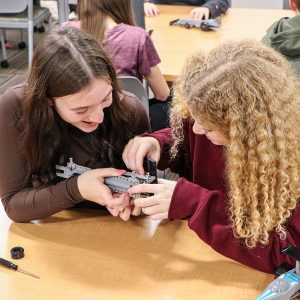
At its core, the DataSnap Motion Sensor supports the Engineering Design Process by allowing students to test, analyze, and improve their designs through repeated trials.
“How do we use data to get students to try something, gather evidence, draw conclusions, and then make improvements — quickly?” Hunter added.
Watch the Full Webinar Recording
To learn more about the DataSnap STEM Labs, how they work, and how the motion sensors support engineering instruction, watch the full webinar recording (you’ll also be able to access Todd’s presentation slides and other resources).