With learning environments continuing to shift, many instructors are finding themselves quickly pivoting from in-person instruction to remote and hybrid models. This requires a new way of thinking and using your classroom resources to teach content. Simulators are remarkably flexible for teaching in a variety of learning environments. Here are a few ideas for teaching a lesson on child abuse prevention remotely, with or without our RealCare™ Shaken Baby Simulator.
Do you already use the Shaken Baby Simulator in your program? That means you already have access to a robust curriculum that addresses Shaken Baby Syndrome (SBS) and the signs and symptoms; areas of the brain that are affected by severe shaking; how a baby’s crying can trigger a caregiver’s shaking a baby; a plan for handling frustration, anger, and stress when a baby cries; and more.
No Shaken Baby Simulator? No problem. We’ve made the curriculum that accompanies this powerful tool available to everyone during the COVID-19 pandemic. Click here to access the lesson plans, activities and PowerPoint slides. (Google Doc versions of each lesson are also available.)
Follow these steps to facilitate a comprehensive lesson on Shaken Baby Syndrome and child abuse prevention.
Test for prior knowledge
Administer the Understanding Shaken Baby Pretest to check for prior knowledge. If you are in a remote or hybrid environment, this document can be posted to your LMS as a Google Doc.
Conduct a Shaken Baby simulation
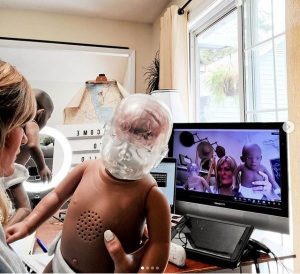
Explain what happens during a shaking event. You can share the slide on this topic as a Google Doc, or conduct a Shaken Baby simulation using your Shaken Baby Simulator. If you are teaching remotely, use the Shaken Baby Simulator to create a brief simulation video to share.
If you don’t wish to create your own, you can embed or share the following links with students that use the Shaken Baby in a simulation.
- The Doctors demonstrate the RealCare™ Shaken Baby Simulator
- KENS-5 Presents: Shaken Baby Simulator
- 13ABC: Damages of Shaken Baby Syndrome
Encourage discussion via small groups, online or in writing
After you’ve explained what happens during a shaking event and conducted an in-person or remote, access the discussion questions from the simulation part of the lesson. You can post these questions in an online discussion forum, or you can turn them into a written reflection activity. Reflection questions are a best practice for engaging students in the content – they help promote critical thinking skills.
Show the real impact of Shaken Baby Syndrome
Next, we recommend that you share a video that features the story of a real child impacted by Shaken Baby Syndrome. There are many to choose from on YouTube. Find one that you’d like to share with students and embed or share the link in your LMS system, email, chat or other means of communication.
Make a plan to manage frustration
Then, give students access to the My Plan to Manage Frustration exercise. This will give students a chance to put a plan in writing as to how they would manage frustration safely and cope around a crying infant. In this activity they will synthesize what they have learned and create a plan that can be used after the lesson ends. This document is available to post as a Google Doc as well.
Give students the My Pledge Not To Shake. This is a document that they sign agreeing to never shake a baby. It is available to share as a Google Doc.

Measure the knowledge your students gained
Finally, administer the Understanding Shaken Baby Post-Test, online via Google Docs or in person. It will help track the knowledge gained over the lesson.
With a little creativity, you can use these steps to successfully teach a lesson on child abuse prevention remotely. The lesson will engage multiple senses: They will hear the baby cry, see the impact of the shaking and put a plan into writing to help prevent this tragic event from happening. Prevention is the goal.
Resources for learning more
Do you need more lessons for teaching online? Check out these recent posts: