Contents
Hardware:
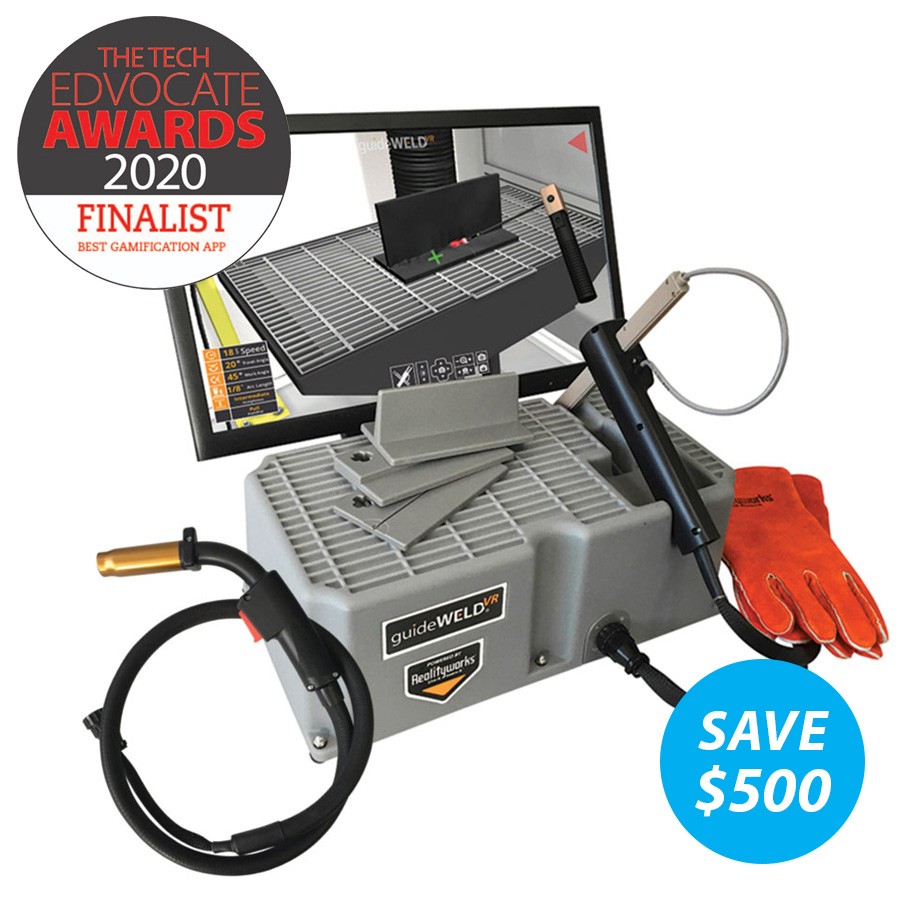
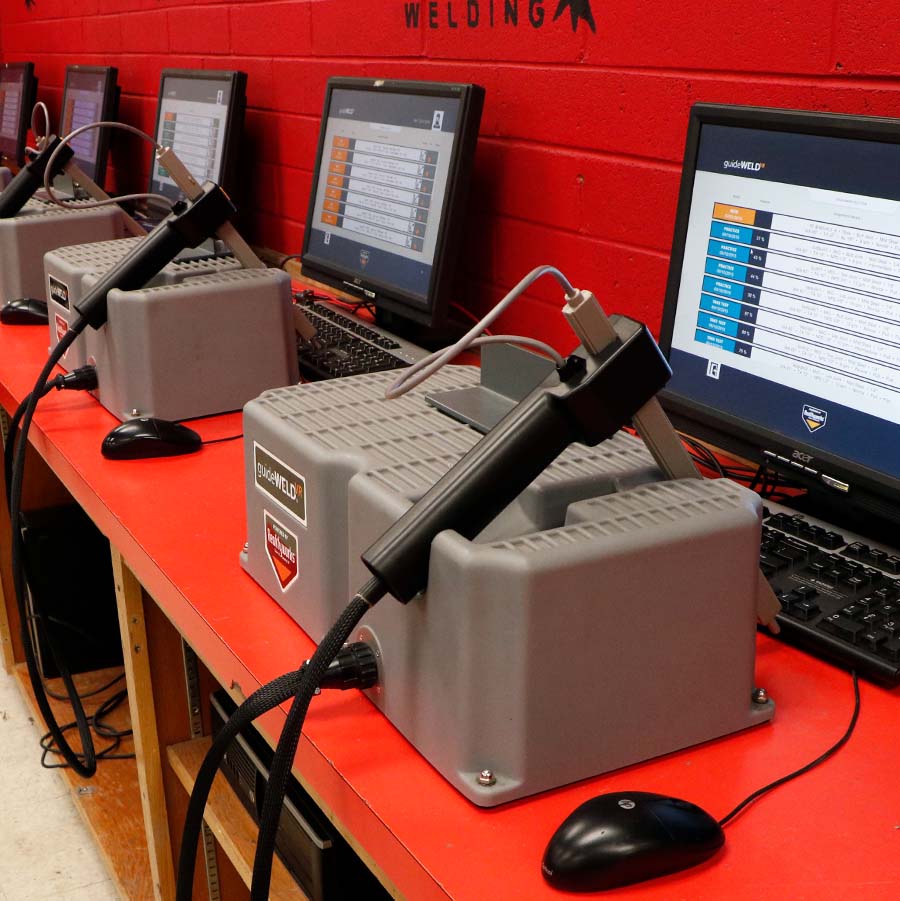
- guideWELD VR workstation with interchangeable GMAW (MIG) and/or SMAW (stick) welding simulator gun
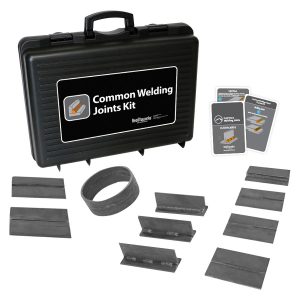
- 3 welding joints (tee, lap, butt)
- Actual welding gloves included
- Online access to: guideWELD VR curriculum (3 units, 13 lessons – over 25 hours of curriculum and assessment), administrator guide, instructor user guide, student user guide, quick start guide, and product software
NOTICE: Monitor, computer, and welding helmet not included
Software:
- Online access to download
- Download directly to a server or individual computers
- See Specifications for computer compatibility requirements
Welding Solutions Implementation
Curriculum
guideWELD® VR
Lesson topics:
1. Welding Career Opportunities
2. Types of Welding
3. Welding Safety – PPE
4. Welding Safety – Electricity and the Arc
5. Welding Safety – Compressed Gasses, Fumes, and Fire
6. Safety Review, Assessment, and Certification
7. Welding Equipment
8. Weld Defects
9. Welding Basics
10. Welding Basics Assessment
11. Intro to Welding Simulation
Teaching hours: 30
Includes: Presentation slides, student activities, and assessment tools
Aligns to: Common Career Technical Core Standards
Alignment and Crosswalk Documents
guideWELD VR Curriculum Overview
guideWELD VR Curriculum Sample
Product Catalog and How to Order
Trade Skills Curricula Overview

Career Exploration Station Activity Sheet
Use our Career Exploration Station Activity Sheet to incorporate a lesson specific to career exploration.
CAREER EXPLORATION STATION ACTIVITY SHEET
Specifications
Hardware Details:
Power Source: 12VDC 1.3 A 5ft. 2.5mm
Base: Length: 9.5 inches, Width: 18 inches, Height: 7.5 inches
Welding Simulator Gun: Standard GMAW (MIG) and/or SMAW (stick) welding gun with 4-foot hose
Coupons: Tee, lap, butt
Total Product Weight: 7 lbs.
NOTICE: guideWELD VR must be at least 6 inches away from steel.
guideWELD VR System Requirements
Product Catalog and How to Order
FAQs
Career Preparation
What careers can the Realityworks guideWELD training tools help students prepare for?
Potential career opportunities include: welding fabrication, welder, welding inspector, millwright, master plumber, autobody technician, and master jeweler. Various types of welders include: construction, manufacturing, structural steel/ironworker, industrial boilermaker, oil rig, motorsports, shipyards, military, and underwater.
What types of classes use the guideWELD VR welding simulator?
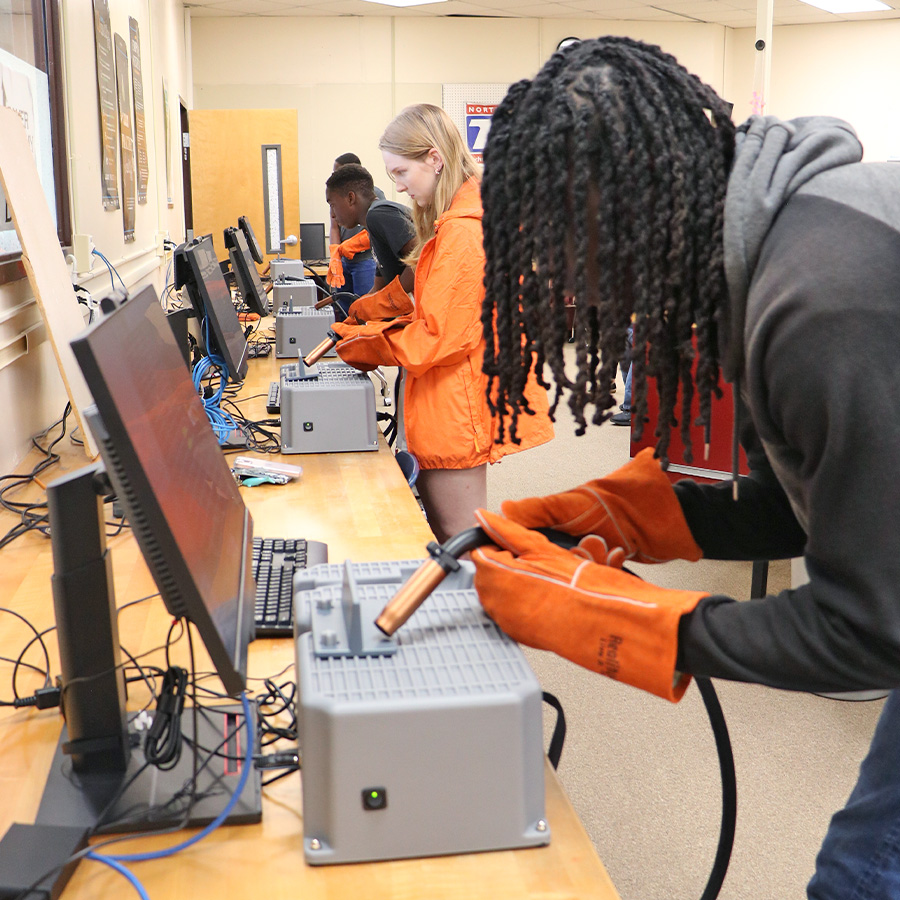
Many agriculture and trade skills programs use this tool to engage students in welding curriculum. We’ve seen this simulator used in welding classes, shop classes, auto and ag mechanics instruction, manufacturing courses, construction programs, and millwright training programs. It’s great for secondary, post-secondary, and adult retraining courses.
General Usage
Why is guideWELD VR welding simulator right for me?
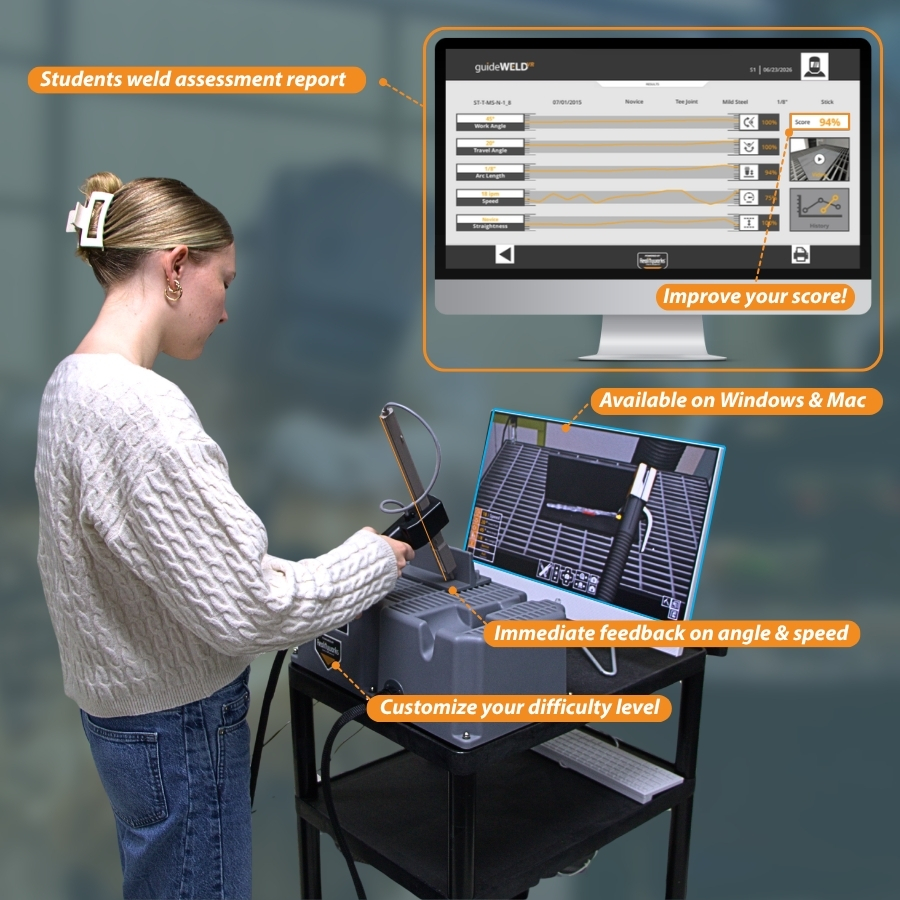
More simulated arc time means more practice time and more muscle memory development. Self-guided learning and reporting lets users learn as they train. Classroom management is made easier as users are engaged through competition and skill development.
Is the simulator easy to use in the classroom?
Yes, it’s designed to be straightforward to implement. It comes with curriculum, user guides, and support resources that help instructors get the simulator up and running efficiently.
Can students use guideWELD VR independently?
Yes, the simulator works well for repeated practice stations, guided lab rotations, and supervised independent skill-building activities.
Will students really use the simulator?
Yes, students are typically engaged by interactive welding practice, especially when they can see immediate feedback and compete with themselves or classmates as they improve.
How many simulators would you recommend for a class of 20 students?
We recommend four simulators for a class of 20 students.
Do you offer product support?
Yes! Our product support team is available M-F 8am-5pm Central Time via phone, email or chat. Contact customer support here
Are monitors and computers included?
No, but here are some system recommendations to get you started
What processes does the guideWELD VR welding simulator offer?
The simulator includes your choice of interchangeable GMAW (MIG) and SMAW (stick) welding simulator gun. Package options are available to include both guns
Can I customize a WPS?
Yes! It includes 27 default Welding Procedure Specifications (WPSs) for MIG and stick welding and options for custom WPS creation
Do you offer welding simulator training?
Yes! Training options are customizable to your program. More information is available here
Where can I calculate the ROI on the guideWELD VR welding simulator?
Material cost savings is calculated on every virtual weld within the guideWELD VR platform, allowing you to see your ROI on training with virtual welding simulations
What could my classroom/welding lab look like with the guideWELD VR welding simulator?
Understand the value of 21st Century learning tools and see how these solutions can easily be integrated into any classroom:
Welding Solutions Implementation
How are other teachers using this virtual welding simulator?
Read our latest case study or explore our customer stories to learn what instructors across the country are doing with their simulators
What makes this product STEM?
- Welding is a key skill for countless careers, from infrastructure to space exploration.
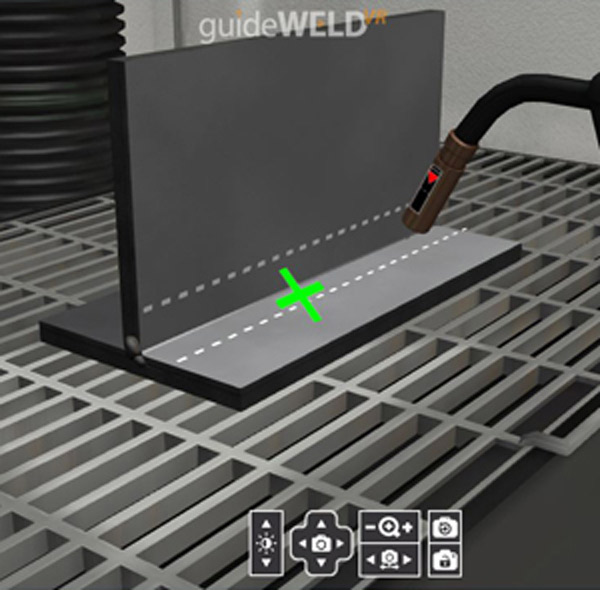
- Immediate feedback on 5 measurable welding parameters allows students to engage in reflective improvement independent of the teacher’s intervention.
- The simulator mimics real welding, offering hands-on practice with MIG and Stick guns, physical joints, and gloves.
- The 5 measurable welding parameters and provided curriculum connect mathematical concepts (angle), physics (distance, speed, electricity), and chemistry (safety, gasses, fumes) into a real-world skill-building experience.
- Students receive assessment snapshots and replays after each weld for focused improvement.
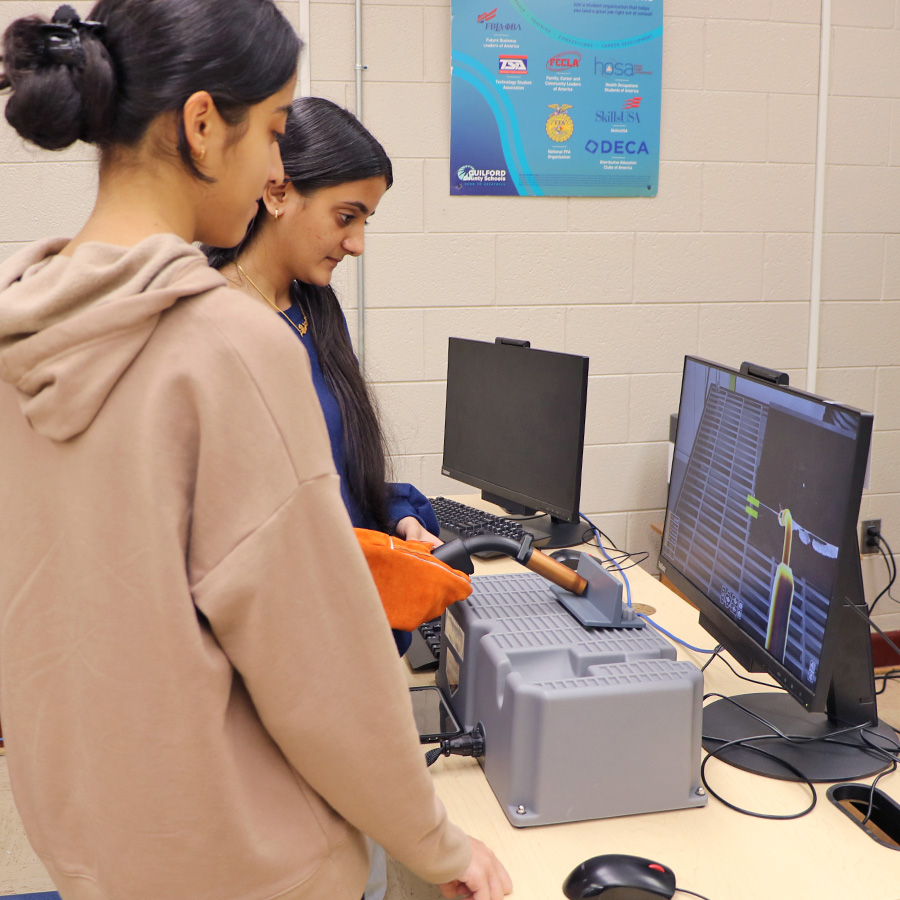
- The external monitor effectively allows small groups to engage with the simulator as a team, rotating roles and providing peer feedback.
- Mastery of welding on the simulator lays a strong foundation for success in real-world applications.
Download our “STEM 7 Checklist” to learn how this tool aligns to key STEM standards.
Get the Checklist
What other program support do you provide?
We offer free webinars, blogs, and classroom resources to help your program succeed. Follow Realityworks on your favorite social media platforms: X (formerly Twitter), Facebook, LinkedIn, Instagram, YouTube, and TikTok for other tips and tricks





Eric VB-Career Pathways Coord. –
We use this as an introductory tool for our students taking a welding class. Many kids have never welded before so this is a great tool to get them introduced to what it will look like to weld. The mig attachment seems more lifelike, but the stick is a good chance for kids to see the difference. Overall this is a good machine that helps make students comfortable before they enter the real welding lab.
William D., Welding Instructor –
Ever since I’ve gotten the simulators, I’ve seen an improvement in students’ abilities before they go into the shop. They have some knowledge of what to feel for, what to expect. And the greater percentage of what I get are beginners – they’ve never touched a welder before. But this helps them create the muscle memory they’ll need in the shop.
Jason T., CTE Curriculum Specialist, NE –
In terms of the VR welders we already have, I was out at a school the other day and the teacher had everything up and running. She said the kids really enjoyed them and several were asking which of our high schools had welding programs.
Timothy Banks –
A great tool for beginners as an introduction. Although, we are an Airframe & Powerplant certification school, this is a good introduction that serves our curriculum requirements. Plus, it saves on consumables/materials.
Nate Christensen –
As a Millwright Instructor I have implemented this with my Welding 101 classes with students that have never welded before. I use this to get them used to what they are going to be seeing, all the functions for creating a good weld. I will have them go through the process until I feel they are comfortable to head to the shop. Once in the shop I will go over using the guideWELD LIVE hood that they offer to continue to hone in their skills. By the end of that class everyone is confident to come into the advance welding courses we offer and work towards getting their certs. So far it has paid off well in our program.
Morgan Owens –
Great for 1st year students to learn the basics and to save on material